The short answer
Self-host if
You want the data on your own hardware and Grid, Gallery and Form views cover the work. No seat fees, no row caps, MIT licence — and you can buy the paid views later, per user, without moving anything.
Stay on the cloud if
You need Kanban, Calendar, AI fields or role-based permissions on day one and nobody on the team runs servers. The features you'd licence anyway cost the same there, minus the VPS and the patching.
| Self-hosted OSE | Baserow cloud | |
|---|---|---|
| Rows | no cap — your PostgreSQL is the ceiling | free 3,000 · Premium 50,000 Advanced 250,000 per workspace |
| Users | no cap, no per-user fee | free, then $10–18/user/mo annual |
| Views included | Grid, Gallery, Form | same on free; Kanban, Calendar, Timeline from Premium |
| Server | yours: Docker ≥ 19.03, 2–4 GB RAM to start | — included — |
| Licence | MIT | hosted service |
Checked 2 September 2026 against baserow.io/pricing and the installation docs. Annual figures unless stated.
The limits are feature gates, not row counts
Ask Baserow's pricing page what the free self-hosted edition is missing and the answer is: nothing you can count, everything you can click. Rows, tables, databases and users are genuinely uncapped in the Open Source Edition. What stays behind a licence key — on your server exactly as on theirs — is a specific feature list:
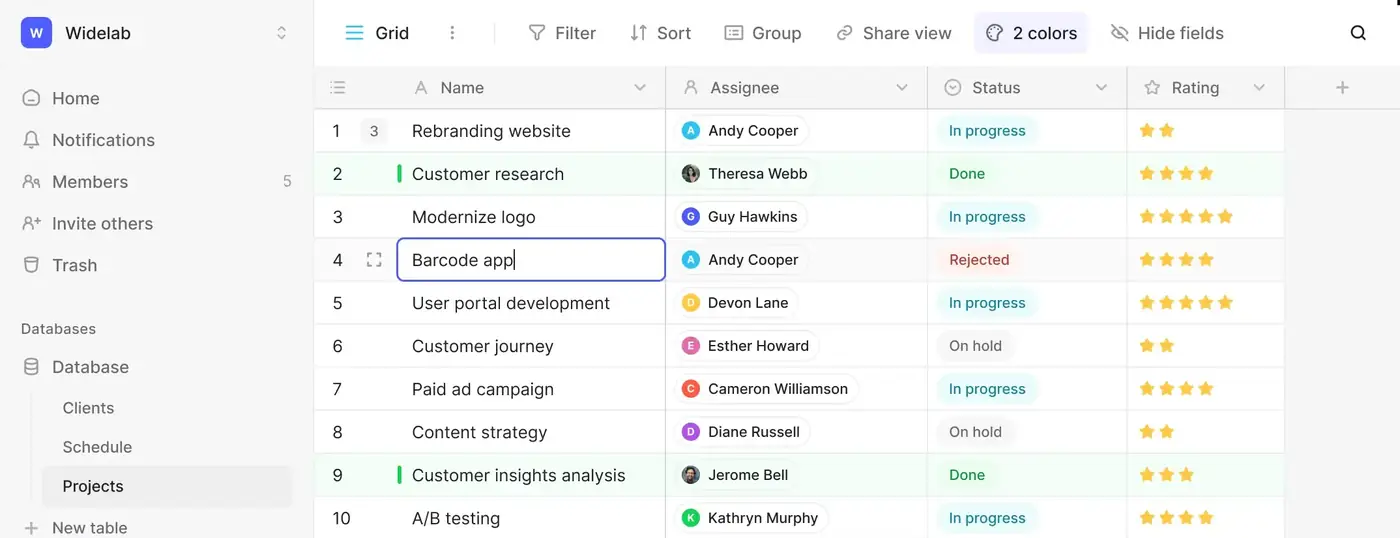
Two details worth knowing before you commit. Licences are assigned per seat, and free and licensed users mix on one instance — five people who need Kanban and twenty who only read grids is a five-seat licence, not twenty-five. And the paid tiers cost the same self-hosted as hosted, so the licence never argues against your server; it only ever adds to it.
The server it actually needs
The official route is the all-in-one Docker image, which bundles PostgreSQL, Redis and a Caddy reverse proxy in a single container — one docker run, ports 80 and 443, automatic HTTPS if you hand Caddy a domain. Docker 19.03 is the documented minimum. For sizing:
Upgrades are a stop-and-restart with a newer image tag — the container announces itself in the log when migrations are done — and the image ships a one-line backup command that dumps the database to a tarball. Neither requires anything you would call ops skill; both require actually being done, which is the honest cost of the $0 licence.
What breaks at scale
Not the row count. PostgreSQL holds millions of rows without noticing; Baserow's own cloud Enterprise tier runs 1,000,000 rows per workspace on the same software. What degrades first, on real installs, is everything computed on top of the rows: formula fields, lookups across tables, and webhook-driven automations. A documented case on Baserow's own forum had row operations taking 2–3 seconds each on a 1 vCPU / 2 GB database server, and came right only after the container moved to 7 GB and the database to 8 GB. The knobs for tuning are BASEROW_AMOUNT_OF_WORKERS and BASEROW_AMOUNT_OF_GUNICORN_WORKERS, but the forum's consistent answer is less glamorous: the fix is RAM, and a database that lives close to the app rather than on a budget managed tier in another zone.
What self-hosting actually costs
Five people, twelve months, against the cloud tier that includes the same paid views.
| Baserow cloud Premium | Baserow OSE, self-hosted | |
|---|---|---|
| Licence, 5 users | $600/yr ($10/user/mo annual) | $0 (MIT; +$600/yr only if you licence Premium seats) |
| Server | — included — | ~$60–84/yr (small VPS, 2 vCPU / 4 GB) |
| Your time | none | ~2 h setup + ~12 h/yr |
| Row ceiling | 50,000 per workspace | whatever the box holds |
| Year one | $600 | ~$72 + 14 hours |
Assumptions, so you can argue with them: a small VPS (2 vCPU, 4 GB RAM) runs about $5–7 a month at the usual providers; setup is roughly two hours with the all-in-one image; keeping it alive — updates, backup checks — about an hour a month. The $528 gap pays for those 14 hours at $37/h. Your rate decides; only you know it.
Frequently asked
Is self-hosted Baserow really unlimited?
Yes on capacity, no on features. The Open Source Edition has no row cap and no user cap — the ceiling is your server's PostgreSQL and RAM. What it does not include are the licensed features: Kanban, Calendar and Timeline views, row comments and colouring, JSON and Excel export, role-based permissions, SSO and audit logs stay behind paid licences even on your own server.
What server does self-hosted Baserow need?
Docker 19.03 or newer and about 2 GB of RAM for light use, 4 GB once several people work at once. The official all-in-one image bundles PostgreSQL, Redis and a Caddy reverse proxy in one container. Heavy formula, lookup and webhook use pushes real installs towards 8 GB.
Can I buy the paid features for my own server?
Yes. Self-hosted Premium is licensed per user at the same price as the cloud tier — $10 per user a month billed yearly, $12 monthly — activated with a licence key, and you can mix free and licensed users on one instance. Advanced and Enterprise licences unlock role-based permissions, SSO and audit logs.